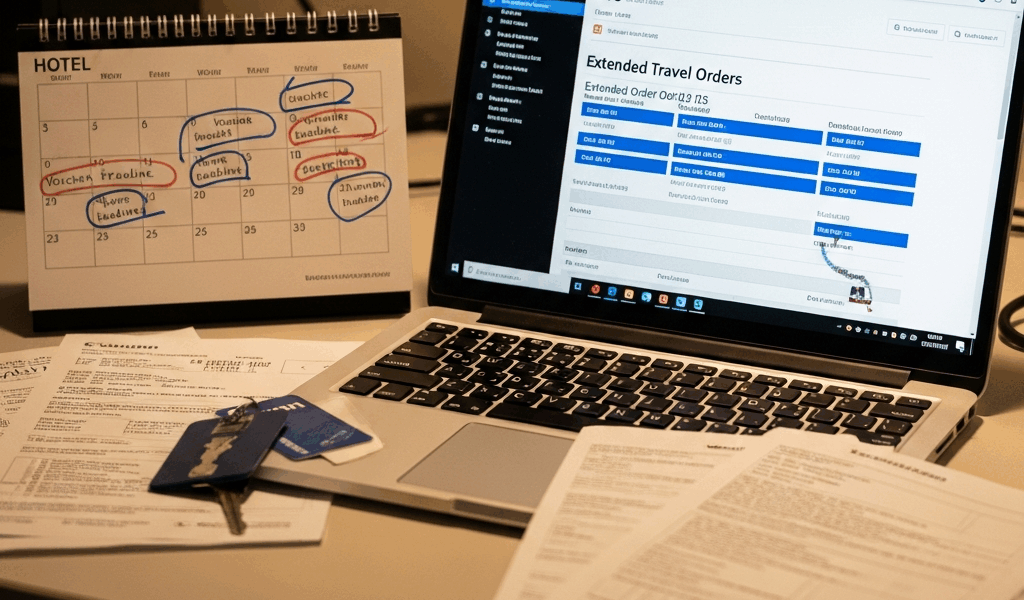
TDY Extended Orders — How to Update DTS in Time
TDY extensions have gotten complicated with all the misinformation flying around about what you’re actually supposed to do when your orders change mid-trip. As someone who’s watched junior enlisted soldiers melt down in hotel lobbies over rejected vouchers and debt letters, I learned everything there is to know about getting DTS updated before finance comes knocking. Today, I will share it all with you.
Here’s the scenario. Your commander catches you mid-deployment — you’re sitting in a La Quinta in San Antonio, return flight booked for Thursday — and tells you the mission pushed. You’re staying until the 28th now. Fourteen extra days. And suddenly the clock is running on a process most people don’t even know they’re personally responsible for.
DTS doesn’t sync automatically when your orders change. That gap is yours to close. So, without further ado, let’s dive in.
What Counts as an Extended TDY Order
Probably should have opened with this section, honestly.
A verbal heads-up from your squad leader doesn’t count. Neither does a text from your first sergeant saying things got pushed back. Those conversations are real. They matter. But they don’t change your official authorization — not even a little.
But what is an extended TDY order? In essence, it’s a formal amended or modified order document cut by your unit S1 (Army) or G1 (Air Force). But it’s much more than that. It has an official order number, a signature block, and a new return date stamped directly on it. That’s what DTS needs to see — nothing else qualifies.
Here’s what catches people off guard. DTS doesn’t watch for amended orders on its own. It doesn’t ping your S1 inbox. It doesn’t auto-update when your unit processes paperwork in the background. You get that amended order in your hands, upload it yourself, and modify your authorization manually. Skip that, and your voucher will say you were gone 10 days when your actual return was day 24. Finance flags it. Audit starts. Weeks of back-and-forth follow. Worst case — a debt letter that travels with you to your next assignment.
That’s what makes getting ahead of this so critical for anyone trying to close out clean.
Step 1 — Get the Amended Orders Before You Touch DTS
This is the step most people skip, honestly.
Before you modify anything in DTS, the actual amended order document needs to be in your possession. Call your S1 or G1. Confirm an amended order has been cut. Ask for the document number and expected delivery — most S1 shops turn this around in 24 to 48 hours once the commander signs off on the extension.
The file needs to arrive as a PDF, scanned copy, or image file. DTS will require you to upload it as supporting documentation. Modify your authorization without that file ready to attach, and you’ve created an audit mismatch — the system shows one end date, your uploaded order shows another, and finance flags it almost immediately.
Some soldiers modify first and track down the amended order after. Don’t make my mistake. You’ll spend twice as long explaining the discrepancy to finance than you would have spent just waiting for the paperwork.
Wait for the order. Get it in writing. Then move.
Step 2 — Modify Your DTS Authorization for the New End Date
Now you’re ready to actually touch DTS.
Log in using your CAC. Navigate to your active TDY authorization — it should be sitting there marked “In Progress” or “Active.” Find the “Modify Authorization” button and click it.
DTS opens the original authorization details. Current return date, hotel booking, per diem allocation, ground transportation — all of it sitting there. This is where you make changes.
Update the travel end date first. Original return was the 14th, new return is the 28th — that’s what goes in the system, exactly as it appears on your amended order. Then update hotel nights. Fourteen-day extension means 14 nights added to the hotel section. DTS will auto-calculate per diem from there — but don’t trust that blindly. Run the math yourself. San Antonio’s current government lodging rate sits at $72 daily, so an extra two weeks adds $1,008 to your hotel reimbursement before taxes and incidentals. Verify the system landed on the same number.
The system may kick back a budget overage when you submit. That’s normal — your original authorization was budgeted for the initial dates, and the extension pushes you over. Your Authorizing Official needs to re-approve the modification to cover the increase. Email your AO the modified authorization number and the reason for the extension. Most re-approvals come back within a few hours.
Step 3 — Rebook Your Hotel Without Losing the Government Rate
This step gets overlooked because soldiers assume their original booking extends automatically. It doesn’t.
Contact the hotel directly or route it through your CTO — commercial travel office — to extend the room. That La Quinta or Marriott is holding your reservation only through your original checkout date. After that, the room goes back into inventory. You need to confirm the extension is possible and that the government per diem rate still applies to the added nights.
Here’s what often trips people up. Government per diem for a specific city is tied to the fiscal year. Booked in September at $72 nightly and extending into October? Rate stays the same. But cross into a new fiscal year or a different seasonal window, and GSA per diem rates can jump. Check the government per diem lookup tool before you finalize anything. Some cities — especially near military installations — have seasonal rate spikes in winter and summer that catch people completely off guard.
If the rate jumped or the room went unavailable, your CTO can rebook you at a comparable property still honoring the government rate. Get that confirmation in writing. Attach it to your DTS voucher later as supporting documentation.
Common Mistakes That Cause Voucher Problems Later
- Submitting the original voucher before the extension is processed: You booked a return flight for the 14th, submitted your voucher on the 18th, and then the amended order came through. Now you’ve got a submitted voucher that doesn’t match your actual return date — and you’re fighting to get it cancelled and resubmitted from a hotel lobby.
- Uploading the wrong version of amended orders: An email from your S1 mentioning an extension isn’t the official amended order. Finance rejected it — no signature, no order number. Get the official amendment, not a summary of it.
- Not getting AO re-approval on the modified authorization: You extended the hotel dates in DTS but never looped in your AO. Voucher came back over budget, pending AO confirmation. That delay costs you days.
- Missing the 5-day voucher submission window after return: Federal travel rules require final voucher submission within five days of returning to your duty station. If you’re still untangling your authorization during those five days, you’re cutting it dangerously close. Handle the DTS modification the moment the extension is confirmed — not after you get home.
The five-day window is non-negotiable. Miss it, and you’re filing for a waiver. That’s a whole separate headache.
Extended TDY orders are stressful — but they’re routine for anyone doing this job past the two-year mark. Move fast once the extension is real. Lock down the amended order first. Update DTS before anything else happens. Do it in that order, and you’ll avoid the rejected voucher, the finance call, and the debt letter that could follow you to your next duty station.




Leave a Reply