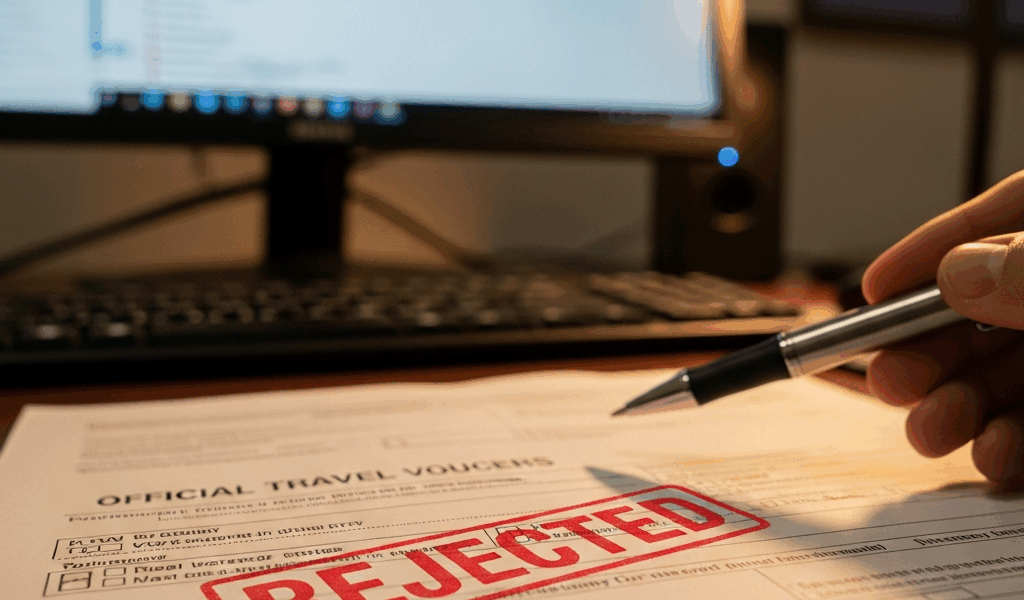
TDY Travel Voucher Rejected — What to Do Next
TDY travel vouchers have gotten complicated with all the DTS errors, rejection codes, and finance office quirks flying around. As someone who watched their own voucher bounce back three times in a single week, I learned everything there is to know about what actually causes rejections — and how to fix them fast. Today, I will share it all with you.
This isn’t a guide about submitting correctly the first time. You’re past that. Your voucher is rejected, your out-of-pocket money is sitting in limbo, and the deadline isn’t waiting for you to figure it out slowly.
Why DTS Rejects Travel Vouchers
But what is a DTS rejection, really? In essence, it’s the system — or a human reviewer — flagging a discrepancy between what you claimed and what the rules allow. But it’s much more than that. There are three distinct types, and confusing them is how people waste days chasing the wrong fix.
A manual rejection from the finance office means a human looked at your voucher and found something wrong. Missing documentation. Lodging over the locality rate. A botched M&IE calculation. They sent it back with a specific reason attached — which is genuinely useful, even if it doesn’t feel that way at 4:45 p.m. on a Friday.
System-level auto-rejections are different. DTS itself flagged something before any human ever touched it. A missing receipt. A lodging amount that doesn’t line up with your itinerary. An account line code your organization doesn’t recognize. You get an error code instead of a plain explanation — which is less useful, but still workable.
Approving Officer (AO) disapproval is its own category entirely. Your AO declined to approve — usually because they want clarification or don’t believe an expense was authorized. That’s not a field correction. That’s a conversation you need to have before anything else moves.
Read the Rejection Notice Before You Do Anything
Probably should have opened with this section, honestly. But here we are — and I’m putting it here because I have personally watched service members start editing their voucher before they even knew what caused the rejection. Don’t make my mistake.
Open DTS. Click the rejected voucher. Scroll to Voucher Status. Read the rejection message. Copy it word for word. Screenshot it. Read it three more times. Do not touch the voucher yet.
The notice gives you either a plain-language reason, a system error code, or both. Plain language tells you what the finance office or AO found. The error code tells you which field broke. Write both down on actual paper — at least if you want to avoid chasing the wrong problem for an hour.
Editing the wrong field creates a new error on top of the original. You resubmit with two problems instead of one. The voucher gets kicked back again. That rejection notice is your roadmap. Use it.
The Most Common Rejection Reasons and the Fix for Each
Missing or Insufficient Receipt Documentation
You submitted a lodging receipt for $89 but DTS requires documentation for anything over $75. Or you claimed a rental car and never attached the agreement. The fix is simple: find the receipt, scan it if you have to, and upload it to the correct field. Go to Supporting Documents > Receipts and attach it directly to the corresponding expense line. That’s it.
Lodging Amount Exceeds the Locality Rate Without Justification
You stayed in San Francisco and paid $225 per night. The locality rate was $180. DTS rejected it because you can’t claim over-rate lodging without explaining why — at least if you want that reimbursement to actually go through. Find the Justification for Over-Rate Lodging field in your voucher. Write something short: “No other lodging available at or below the locality rate” or “Government quarters not available, dates X through Y.” One sentence. Then resubmit.
M&IE Deduction Not Applied for Provided Meals
The government provided breakfast on TDY day three. You should have deducted $5.20 from your M&IE claim. You didn’t — I’ve done this myself. DTS catches it. Go to the Meals and Incidental Expenses section, find the day the meal was provided, and reduce the claim by the correct amount. Current 2024 rates: breakfast is $5.20, lunch is $12.80, dinner is $16.80.
Mismatch Between DTS Itinerary Dates and Actual Travel Dates
Your DTS itinerary showed departure February 1, return February 5. Your actual flight was February 2 through February 6. Your receipts show the real dates. DTS sees the mismatch and rejects the whole thing. Edit the Trip Dates field to reflect what actually happened. Then check that every expense line falls within those corrected dates before you resubmit.
Missing CTO Fee Entry
You flew on orders but never entered the CTO fee. Go to Transportation > Airfare and find the CTO Fee field. Paid it directly? Enter the amount. Your organization covered it? Enter zero. Some units have a blanket CTO arrangement — if you’re unsure which situation applies to you, call your unit DTS help desk before guessing.
Incorrect Account Line Code
The account line code you used doesn’t exist in your organization’s chart of accounts, or it doesn’t match the TDY type. Incorrect account codes might be the best problem to escalate immediately, as DTS requires exact code matches. That is because a wrong code doesn’t just delay approval — it can hold your voucher in routing limbo for days. Call your unit DTS help desk, get the right code, then resubmit.
Duplicate Expense Entry
You claimed the same hotel night or meal twice. Go to the Expenses section, delete the duplicate line, and resubmit. That’s the whole fix.
How to Resubmit After You Fix the Error
Make your correction. Then stop — before you hit submit, open the Voucher Notes field and explain exactly what you fixed and why. Something like: “Corrected lodging dates from 2/1–2/5 to 2/2–2/6 to match actual flight itinerary. Original receipt attached as supporting documentation.”
That comment does two things. It shows the approver you understood the rejection and responded deliberately. It also creates a paper trail if your voucher gets audited later — and finance offices notice. It speeds things up.
Click Submit Voucher. The voucher routes back to your AO, then to the finance office for final processing. Typical wait is three to seven business days, though some units move faster. Do not resubmit multiple times in a single day. That confuses the routing system and slows everything down.
When to Escalate and Who to Call
Some rejections you cannot fix yourself. That’s what makes DTS endearing to us military travelers — it occasionally requires a phone call to a real human being.
So, without further ado, let’s dive in.
Start with your unit DTS help desk. They know your organization’s specific requirements, account codes, and recurring system quirks. Have your voucher number, rejection code, and submission date ready before you call. This call should take five minutes, maybe ten.
If they can’t solve it, call DTMO support. DTMO — Defense Travel Management Office — operates the system itself. They handle system-level locks, backend technical errors, and anything that requires administrator access. Their help line is 1–877–DTS–4DTS (1–877–387–4387). Weekday hours run 8 a.m. to 6 p.m. Eastern. Have your DTS username, voucher number, and error code ready. That’s the whole list.
Escalate to your servicing finance office when the rejection involves a debt letter, a split disbursement problem, or a voucher locked at the system level. Don’t say “my voucher was rejected.” Say “the system shows a debt letter from 2023 that’s preventing resubmission” or “my lodging exceeded the locality rate and I need a one-time exception approval.” Specific language gets faster results. Finance offices have authority to override certain restrictions — but only when they understand exactly what they’re overriding.
I’m apparently someone who learned this the slow way, and waiting three extra weeks on reimbursement never works for me while vague escalation requests never work either. One last thing: don’t wait. Every day you delay is a day your money isn’t moving. Fix the error. Resubmit. Move on.




Leave a Reply