When Should Your Per Diem Actually Start
I’ve watched service members argue about TDY per diem start dates more times than I can count. Most of them are wrong about when it actually begins—and I made the same mistake during my first deployment. The confusion has gotten thick with all the misinformation flying around.
Here’s the hard rule: per diem starts on the first day of travel or the day you depart your duty station, whichever comes later. Not when your orders are issued. Not when you book your flight. Not when your command approves the trip. The Joint Travel Regulations (JTR), specifically section 020205, defines this clearly. All the branches—Army, Navy, Air Force, Marines—follow the same DoD standard.
But what is per diem? In essence, it’s daily compensation for meal and incidental expenses while traveling on official TDY orders. But it’s much more than that—it’s your money, and finance gets it wrong constantly.
The confusion happens because service members see orders with an “effective date” and assume that’s when per diem kicks in. That’s incorrect. The effective date of orders matters for pay and rank purposes, but per diem is travel-specific. It starts when you physically move.
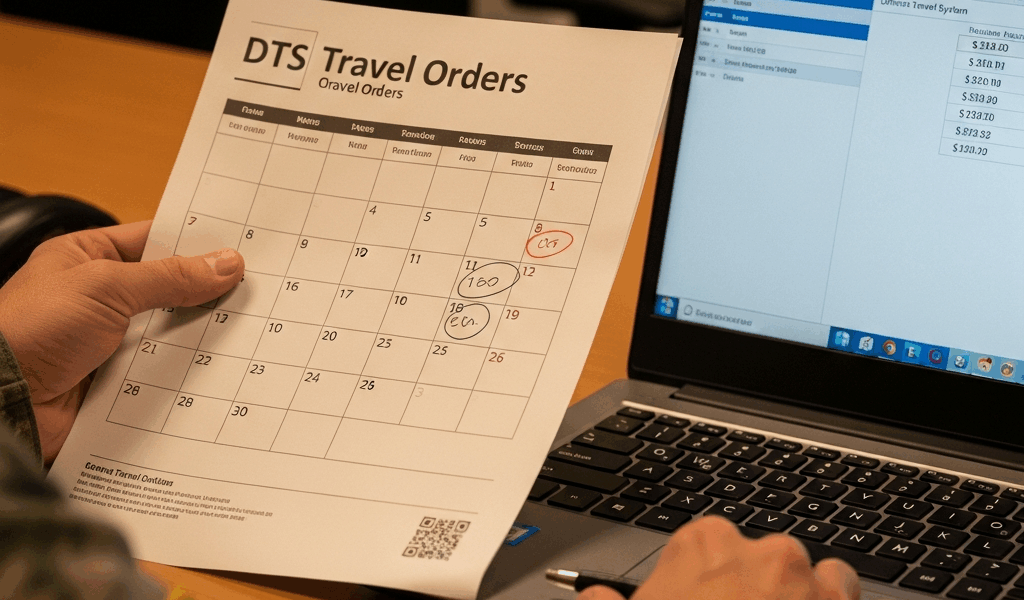
Here’s what this means in practice: if your orders are effective January 15th but you don’t leave your duty station until January 18th, per diem begins January 18th. If you depart January 12th on preliminary travel authorization and your official orders don’t land until January 15th, per diem still starts January 12th—the first day you traveled. The later of the two dates wins. That’s the rule.
Most disputes happen because finance enters the order effective date into DTS instead of the actual travel date. It’s a data entry error, not a policy disagreement. But some service members simply don’t know the regulation, so they fight for per diem to start earlier than allowed. That fight will lose every time.
Three Scenarios Where Start Dates Get Disputed
Scenario 1 — You Traveled Before Orders Were Finalized
This one’s common in surge situations. Your unit sends you TDY under preliminary travel authority, but the actual orders don’t process for another week. You depart on the 5th. Orders drop on the 12th with an effective date of the 12th.
Finance sees that effective date and wants per diem to start the 12th. You’re right to push back. JTR 020205 says the start date is the first day of travel, which was the 5th. Your preliminary travel authorization counts as legitimate travel authority — at least if you want to stay compliant with regulations. Pull up that preliminary document. Screenshot the date you departed. Email your unit DTS administrator with subject line: “Per Diem Start Date Discrepancy—Preliminary TA Travel Date vs. Orders Effective Date.”
The fix: submit a travel modification in DTS showing the preliminary travel date as the start date. Finance will usually accept this without escalation once you show the paperwork. Timeline is typically 5-7 business days. That’s been my experience, anyway.
Scenario 2 — Orders Were Issued But DTS Wasn’t Updated
Your orders say effective date January 10th. You left January 10th. Finance processed per diem starting January 10th. Seems fine, right? Except your orders clearly state you’re assigned to a different location for TDY, meaning you needed to travel there. The rule is the first day of travel OR the order effective date, whichever is later.
If you departed on the 10th, per diem starts the 10th. That matches what finance did. You don’t have a dispute here. But if you left on the 9th under preliminary authority, that’s where the discrepancy lives. DTS might show the 10th because someone entered only the orders effective date and ignored the actual departure date.
Check your DTS record. Look at the “Travel Start Date” field and the actual date in your travel authorization documents. If DTS shows the 10th but you have a boarding pass or hotel receipt from the 9th, you have a clear error. Screenshot both.
Scenario 3 — You Left on the Orders Effective Date But Finance Processed It Wrong
This happens when DTS has a system glitch or your finance office manually entered data incorrectly. Orders effective January 20th. You departed January 20th. Per diem should start January 20th. But somehow finance shows January 22nd.
This is pure data entry error. Your lodging receipt from the Marriott or Airbnb shows January 20th. Your Delta flight confirmation shows January 20th. DTS should match. Screenshot everything. Create a side-by-side comparison: what you actually traveled (January 20th) versus what DTS shows (January 22nd). Send this to your DTS administrator with a formal request for correction. Be specific. Don’t be vague.
How to Request a Per Diem Start Date Correction
Probably should have opened with this section, honestly. Most service members don’t know how to formally challenge these decisions, so they just accept the wrong amount and gripe about it afterward. That’s exactly what I did.
Step 1: Pull your complete DTS record. Log in. Find your travel authorization. Download or screenshot the entire document, focusing on the “Travel Start Date” and “Order Effective Date” fields. Note the difference between what DTS shows and what your actual travel dates were. Save these files.
Step 2: Gather documentation. Collect your travel orders, boarding passes, hotel confirmations, or any other proof of when you actually departed your duty station. If you used preliminary travel authority, pull that too. Organize these chronologically. Make it impossible to misread.
Step 3: Determine the error type. Is this a data entry mistake (someone typed the wrong date), a policy disagreement (someone misinterpreted when per diem starts), or a system issue (DTS auto-populated incorrectly)? Each path forward is different.
Step 4: Contact the right person. If it’s a data entry error, your unit DTS administrator is first contact. They can often correct it directly. Send an email like this:
Subject: TDY Per Diem Start Date Correction Request — [Your Name/SSN]
I am requesting a correction to my per diem start date for TDY [location], [dates]. My DTS record shows per diem beginning [incorrect date], but my actual travel began [correct date] per my travel orders and supporting documentation attached. Per JTR 020205, per diem begins the first day of travel. Please update my record accordingly.
If your DTS administrator says they can’t modify it, escalate to your finance office’s travel voucher section. Include the same documentation. If finance denies the correction and you believe they’re wrong, request the specific regulation citation they’re using to justify their decision. Make them defend their interpretation. Don’t accept “that’s our policy” as an answer.
What Happens If You Disagree With Finance
Sometimes finance digs in. They insist per diem starts on the order effective date, period. This is incorrect per JTR, but you need an escalation path that actually works.
Level 1: Finance supervisor. Ask to speak with or email the supervisor of the person who made the initial decision. Present your case with all documentation. Include the JTR reference. This resolves most disputes within 5-10 business days. Be professional. Don’t be angry.
Level 2: Your commander. If finance won’t budge, brief your commander’s staff. Bring your DTS record and regulation citation. Command can direct finance to make the correction. This usually takes 10-15 business days but carries more weight than anything else short of legal action.
Level 3: JAG review. If the amount in dispute is significant and you believe finance is deliberately misinterpreting regulations, request a JAG review of the decision. This is nuclear option territory—it will take 30+ days and create friction—but it works if you’re right. Use it only when everything else fails.
Real talk: if you’re missing per diem for 1-3 days, let it go. The time and stress aren’t worth the $50-150 dollars. If you’re missing a week or more, fight it. That’s $300+ of your money.
How to Prevent This on Your Next TDY
The best fix is preventative. I learned this after eating a two-week per diem delay on my first major TDY because I didn’t verify dates upfront. Frustrated by the runaround, I started documenting everything going forward.
Submit your travel authorization before you depart. Not the night before. Before. This gives finance time to process it correctly and gives you time to catch errors. Don’t leave your duty station with a pending authorization.
Confirm DTS shows the correct start date. Log in 48 hours before departure. Check that the “Travel Start Date” field matches your actual planned departure date. Screenshot it. If it’s wrong, contact your DTS administrator immediately. Don’t leave if it’s still incorrect. You’ll fight it after travel anyway, so fix it beforehand.
Take photos of your first day lodging. Hotel receipt, Airbnb confirmation, barracks check-in paperwork—whatever. It’s dated. It proves when you arrived. Keep these with your travel voucher submission. I’m apparently obsessive about photos now, and it works for me while vague recollections never do.
Keep a copy of your orders. Digital and physical if possible. When you file your voucher, attach a copy with the departure date highlighted. Make it impossible for finance to claim they didn’t know when you left. Make their job harder to make excuses.
Check DTS again before submitting your voucher. Three days before you return or when you’re settling your account, log in one more time. Verify the start date is still correct. If it’s been changed, flag it immediately. Don’t wait until they’ve closed out your travel authorization.
Per diem disputes are frustrating because they’re usually preventable. The regulation is clear. The rule is simple. The confusion comes from inconsistent data entry and service members not knowing they’re allowed to question finance’s decisions. You are. You have a right to per diem according to JTR rules, not according to what someone in finance typed into DTS. Document everything, cite the regulation, and escalate if necessary. Don’t make my mistake.



Leave a Reply